2:53
Chapter 20: Trimming Lines with the Trim Command in Solidworks
Thanatat Suwan
3:26
Lesson 19: Creating a Circular Sketch Pattern in SolidWorks
7:25
Chapter 18: Creating a Linear Sketch Pattern in SolidWorks
8:58
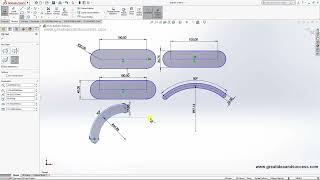
Lesson 17: Creating Slots and Ellipses in SolidWorks
10:28
Chapter 16: Creating Squares, Circles, and Polygons in SolidWorks
11:45
Lesson 15: Creating Lines and Defining 2D Dimensions
1:50
Chapter 14: Creating a Spring in SolidWorks
3:16
Chapter 13: Creating Helix Curves in Solidworks
4:52
Chapter 12: Automatically Creating Dimensions in SolidWorks
4:34
Chapter 11: Creating a Drawing in SolidWorks
4:22
Lesson 10: Creating Multiple Object Copies with the Circular Pattern Feature
5:36
Chapter 9: Controlling the Screen with Various Commands
3:37
Chapter 8: Chamfering Objects with the Chamfer Command
3:50
Chapter 7: Filleting Objects with the Fillet Command
4:43
Chapter 6: Creating Objects with the Loft Command
8:32
Lesson 5: Creating Objects Using the Swept Command
5:29
Lesson 4: Cutting Objects with the Extrude Cut Command
2:51
Chapter 3: Creating Additional Objects on 3D Models
8:25
Chapter 2: Introduction to Creating and Editing 3D Objects
9:37
Chapter 1: Work Environment and Creating a New File in SolidWorks 2025