4:15
MS01. [Siemens Motion Control] Video Series Open Speech (Siemens TIA Portal S7-1200 S7-1500) [1/10]
32:08
MS02. [Siemens Motion Control] 9 Common Questions About Siemens Motion Control [2/10]
4:38
MS03a. [Siemens Motion Control] TIA Portal Single Axis Control - Project Introduction [3/10]
19:18
MS03b. [Siemens Motion Control] TIA Portal Technology Object (TO) Configuration [4/10]
16:18
MS03c. [Siemens Motion Control] Reset, Power, Home, and MoveJog Instructions in TIA Portal [5/10]
24:55
MS03d. [Siemens Motion Control] Move Absolute, Relative, Velocity, Stop, Halt Instructions [6/10]
7:33
MS03e. [Siemens Motion Control] Download Axis and Program into PLCSIM, OB91 Buffer Overflow [7/10]
10:42
MS03f. [Siemens Motion Control] Online Axis Test via Axis Control Panel in TIA Portal [8/10]
19:04
MS03g. [Siemens Motion Control] Rotary and Linear Motion Control Online Test in TIA Portal [9/10]
36:59
MS04a. [DC Motor Positioning Control] Setup Positioning Axis via Analog Output, DC Motor, & Encoder
33:05
MS04b. [DC Motor Positioning Control] Program DC Motor Positioning Control via S7-1200 & TIA Portal
22:01
MA01. [AB Motion Control] Setup Motion Control Project and Create Virtual Axis in Studio 5000 [1/10]
10:22
MA02. [AB Motion Control] Online Test Axis - Motion Direct Command in Studio 5000 [2/10]
10:24
MA03. [AB Motion Control] Prepare Motion Control Variables - Import Data Type Template [3/10]
24:25
MA04a. [AB Motion Control] Rockwell Motion Instructions Reset, Servo ON, Jog, and Stop [4/10]
13:37
MA04b. [AB Motion Control] Rockwell Motion Instructions MAM Absolute Position Control [5/10]
MA04c. [AB Motion Control] Rockwell Motion Control Instructions - Online Test [6/10]
12:05
MA04d. [AB Motion Control] Rockwell Motion Control Status - Standstill and At Position [7/10]
10:28
MA05. [AB Motion Control] Trend Curve in RSLogix 5000 and Studio 5000 [8/10]
31:11
MA06. [AB Motion Control] Sequence Control Application in Rockwell Studio 5000 [9/10]
5:48
MB01. [TwinCAT 3 NC] Motion Control Hardware and Software Brief Introduction [1/20]
21:24
MB02. [TwinCAT 3 NC] Create Project, I/O Configuration, and Setup Motion Axis [2/20]
20:11
MB03. [TwinCAT 3 NC] Axis Control Panel - Motion Online Test [3/20]
13:20
MB04. [TwinCAT 3 NC] How to use YT Plot Curve to Monitor Axis Motion [4/20]
8:30
MB05a. [TwinCAT 3 NC] Call Motion Instructions Reset, Power, Home, Jog in TwinCAT3 [5/20]
21:12
MB05b. [TwinCAT 3 NC] Program MC Reset, Power, Home, Jog in TwinCAT3 [6/20]
10:33
MB05c. [TwinCAT 3 NC] Online Test MC Reset, Power, Home, Jog in TwinCAT3 [7/20]
18:05
MB06a. [TwinCAT 3 NC] Program MC_Velocity, MC_Relative, MC_Absolute Motion Control [8/20]
14:43
MB06b. [TwinCAT 3 NC] Online Test MC_Velocity, MC_Relative, MC_Absolute Motion Control [9/20]
16:51
MB07. [TwinCAT 3 NC] Online Test MC_Halt, MC_Stop to Stop Axis Movement [10/20]
11:10
MB08. [TwinCAT 3 NC Stepper] Beckhoff Stepper Motor Motion Control Opening Speech [11/20]
16:37
MB09. [TwinCAT 3 NC Stepper] KL2541 EL7041 Wiring with Stepper Motor with Encoder [12/20]
27:00
MB10. [TwinCAT 3 NC Stepper] Drive Stepper Motor on TwinCAT FreeRun Mode via KL2541 Terminal [13/20]
6:03
MB11. [TwinCAT 3 NC Stepper] Read Incremental Encoder via KL2541 Terminal and Scope Meter[14/20]
44:16
MB12. [TwinCAT 3 NC Stepper] NC Axis Drive and Encoder Parameter Settings[15/20]
21:00
MB13. [TwinCAT 3 NC Stepper] NC Motion Controller - Axis Ctrl Parameters [16/20]
25:15
MB14. [TwinCAT 3 NC Stepper] Use MC Power, Jog, Stop FB to Control Stepper Motor[17/20]
25:55
MB15. [TwinCAT 3 NC Stepper]Use MC MoveAbs MoveRel FB for Positioning Control[18/20]
39:15
MB16. [TwinCAT 3 NC] How to Home Encoder, Three Methods to Home Axis [19/20]
24:01
MB17a. [TwinCAT 3 NC] Changing Velocity On the Fly Via Override of MC_Power [20/20]
31:25
MB17b. [TwinCAT 3 NC] Changing Velocity On the Fly - Two MC Velocity FBs [21/21]
25:04
MB18. Beckhoff Drive AX8000 AX5000 Servo Motor Torque Limitation
7:35
MB20. [AX8000 Servo][0/10] Beckhoff AX8000 Motion Control Tutorial Open Speech
19:38
MB21. [AX8000 Servo][1/10] Scan I/O & AX8000 Drive and Setup Drive Manager Project
28:13
MB22. [AX8000 Servo][2/10] Enable Drive STO ‘Safe Torque Off’ via Beckhoff TwinSAFE Program
24:59
MB23. [AX8000 Servo][3/10] Configure Beckhoff Drive, TwinCAT3 Drive Manager 2 Tutorial
10:52
MB24. [AX8000 Servo][4/10] How to Read Torque Value from Beckhoff AX8000 or AX5000 Drive
8:57
MB25. [AX8000 Servo][5/10] Beckhoff Drive Cogging Compensation (servomotors magnet compensation)
19:53
MB26. [AX8000 Servo][6/10] How To Read ErrorID and Status of Beckhoff TwinCAT NC Axis
20:10
MB27. [AX8000 Servo][7/10] Tune Servo Motor - Beckhoff AX8000 Servo Drive
18:16
MB28. [AX8000 Servo][8/10] Beckhoff Drive AX8000 SS1 Safe Stop
24:13
MB29. [AX8000 Servo][9/10] Beckhoff Servo Torque Limitation Control (+/- Direction)
23:52
MB30. [AX8000 Servo][10/10] Beckhoff MC Torque Control
8:27
MS05a. [Siemens S120 #0]SIMAMICS S120 Motion Control Series Open Speech (S7-1500 + S120)
31:39
MS05b. [Siemens S120 #1] SINAMICS S120 Configuration and Commissioning via STARTER
37:10
MS05c. [Siemens S120 #2] SINAMICS S120 Configuration and Commissioning via Startdrive TIA Portal
16:59
MS05d. [Siemens S120 #3] One Button Tuning S120 via STARTER and TIA Portal Startdrive
11:22
MS05e. [Siemens S120 #4a] Setup PROFINET Connection Between S7-1500 PLC and S120 Servo Drive
30:04
MS05f. [Siemens S120 #4b] Setup Motion Technology Object (TO) to Control S120 Servo Drive
32:09
MS05g. [Siemens S120 #5] SINAMICS STO Safety Torque and SS1 Safe Stop vis Safety PLC
14:45
MS05h. [Siemens S120 #6] How to Tune the TO Positioning Closed Loop Gain Kv in TIA Portal
28:38
MS05i. [Siemens S120 #7] Use Motion Control Function Blocks to Control S120 Servo Drive
15:53
MS05j. [Siemens S120 #8] S120 Servo Drive - Changing Velocity On the Fly
19:16
MS05k. [Siemens S120 #9] SINAMICS S120 Drive Torque Limitation, Torque Reduction
27:49
MS05l. [Siemens S120 #10] SINAMICS S120 Drive Velocity GearIn
1:03:16
SS01. Getting Started with SIMIT Siemens Simulation Platform with Servo Drive Motion Control (EN)
26:41
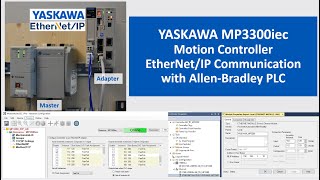
MY01. YASKAWA MP3300iec Motion Controller EtherNet/IP Communication with Allen Bradley PLC
36:38
MY02. YASKAWA MP3300iec (226IF-02) PROFINET Communication with Siemens PLC
30:44
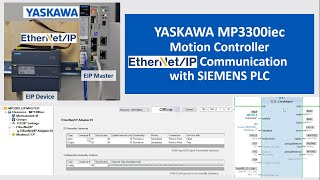
MY03. YASKAWA MP3300iec EtherNet/IP Communication with Siemens S7-1200 PLC
14:28
MS06A. [Siemens S210 #01] SINAMICS S210 Servo Drive Hardware Introduction
27:05
MS06B. [Siemens S210 #02] Using Webpage to Configure SINAMICS S210 Servo Drive
9:50
MS06C. [Siemens S210 #03] One Button Tuning SINAMICS S210 Servo Drive
29:38
MS06D. [Siemens S210 #04] Commission S210 Servo Drive using TIA Portal Startdrive
25:18
MS06E. [Siemens S210 #05] Setup Profinet IRT Communication for S210 Servo Drive (Telegram 105)
33:36
MS06F-1. [Siemens S210 #06-1] Positioning TO Technology Object in TIA Portal - Configuration
21:23
MS06F-2. [Siemens S210 #06-2] Positioning TO in TIA Portal - Troubleshoot F09 Fault and Online Test
48:05
MS06G. [Siemens S210 #07] Motion Control Function Block Programming and Live Test
48:06
MS06H. [Siemens S210 #08] Servo Torque Reduction, Torque Range (F07900 Alarm), Torque Limiting
1:00:10
MS06I. [Siemens S210 #09] STO Safe Torque Off and SS1 Safe Stop
30:31
MS06J. [Siemens S210 #10] Servo Drive SLS Safely-Limited Speed
1:07:07
MS07. [Siemens S210] SINAMICS S210 Servo and S7-1200 PLC Positioning Control (TO PN RT Telegram 3)
MS08a. [Stepper Motor] Stepper Driver Wring with PLC 24v Pulse Signal (Resister for TB6600 FMD2740C)
34:09
MS08b. [Stepper Motor] 1/2 Siemens S7-1200 PLC PTO Stepper Motor Control (Technology Object in TIA)
27:22
MS08c. [Stepper Motor] 2/2 Control Stepper Motor with Motion Programming and Siemens S7-1200 PLC
37:12
MS09. How to Choose Siemens Telegram For Motion Control
14:04
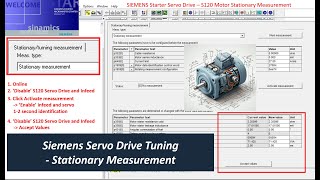
MS10.Siemens Servo Drive Motor Tuning - Stationary Measurement
21:18
MS11. How to Solve Position Control Overshoot - Siemens Motion Control Axis Optimization
3:31
LDS00.CodeSys Programming and Servo Motion Control Open Speech
19:30
LDS01.LeadShine EL8 Servo Drive and Linear Servo Motor Configuration and Trial Run
14:41
LDS02.LeadShine EL8 Servo and Linear Motor One-Click Auto Tuning